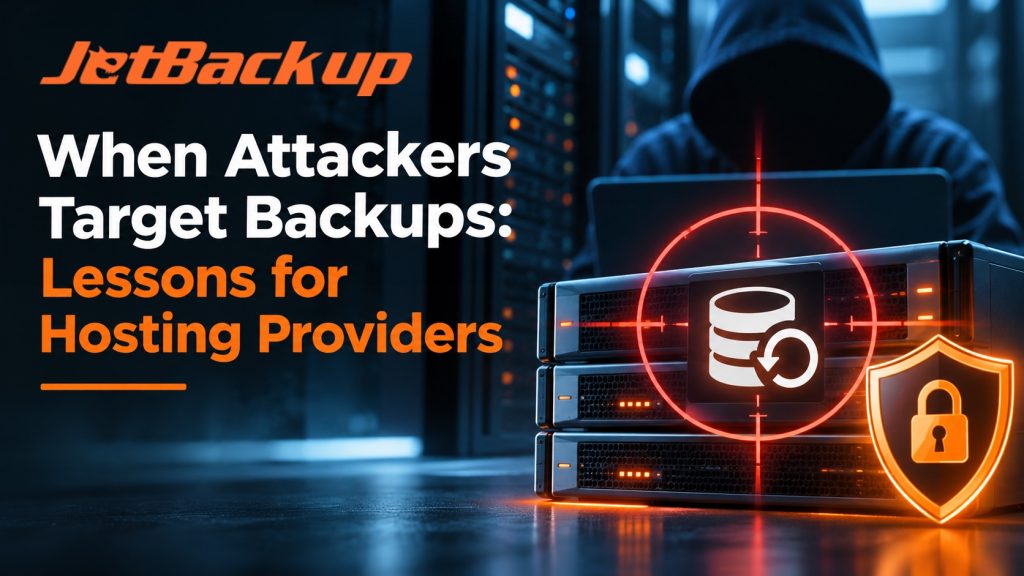
When Attackers Target Backups: Lessons for Hosting Providers
For years, the conversation around backups in the hosting industry has been relatively straightforward. Keep multiple copies of your data, store at least one copy offsite, test your restores, and make sure you have a disaster recovery plan in place. These are still important practices, but recent security incidents are reminding us that having backups and being able to recover from an attack are two very different things.
Over the past two weeks, three separate incidents have caught our attention. A major hosting provider in Russia was hit with a second cyberattack while still recovering from the first. A ransomware operation successfully compromised virtualization infrastructure and its connected backup systems. Meanwhile, Synology disclosed critical vulnerabilities affecting the devices many businesses rely on for backup storage.
While these incidents involve different technologies and attack methods, they share a common concern. The systems we depend on to recover from an attack are becoming targets themselves.
For hosting providers managing hundreds or thousands of customer websites, servers, and applications, that changes how we should be thinking about backup security and disaster recovery.
Beget: What Happens When a Second Attack Arrives During Recovery?
On November 2, 2026, Russian hosting provider Beget experienced a significant cyberattack that disrupted its infrastructure and forced the company into an extensive recovery operation.
According to Beget’s published updates, attackers gained access to the company’s management servers at approximately 2:00 AM Moscow time. Within 30 minutes, malware designed to delete data was launched across its infrastructure. Beget disconnected its servers within an hour to limit the damage, but its cloud infrastructure had already been destroyed, requiring a rebuild.
Restoring shared hosting services became a major undertaking. By November 13, Beget reported that approximately 95% of its shared hosting servers were operational again.
For most companies, recovering that much infrastructure would be an enormous achievement. Unfortunately, the incident wasn’t over.
On November 15, while recovery efforts continued, Beget reported a second attack, this time a large-scale distributed denial-of-service (DDoS) attack. Initial traffic reportedly reached 850 Gbit/s before increasing to 2.1 Tbit/s. According to the company’s statements, attackers were systematically targeting its network subnets, apparently attempting to interfere with the ongoing recovery.
Beget described the attack as an effort to disrupt its recovery plans, although that assessment has not been independently confirmed.
Despite the additional disruption, the company continued restoring services. By November 15, Beget reported recovering more than 215,000 websites from backups, and its November 17 update indicated progress restoring VPS creation, cloud networking, and S3 storage. Some services, including additional VPS locations and full domain functionality, remained on the recovery list.
The biggest takeaway here isn’t simply the scale of the attack. It’s what happens when recovery itself becomes part of the incident.
Most disaster recovery planning focuses on getting systems back online after the initial threat has been contained. But what happens when the attackers aren’t finished? What happens when network connectivity, DNS, management systems, or storage services are targeted while your team is trying to restore customer accounts?
For hosting providers, this is why recovery planning needs to go beyond the existence of a backup file. You need a restoration order, access to clean infrastructure, alternative network paths where practical, and a plan for communicating with customers while services return in stages.
BlackNevas: When Attackers Compromise the Backup Infrastructure First
Another incident worth examining comes from a November 13 investigation published by Kaspersky’s Securelist team, detailing a ransomware attack attributed to a group identified as BlackNevas.
The investigation described a ten-day intrusion that ultimately resulted in the destruction of four VMware ESXi hosts, their virtual machines, two vCenter appliances, and the connected backup infrastructure.
What makes this case particularly concerning is how the attackers gained control.
According to Kaspersky, the attackers did not exploit a vulnerability in the virtualization software itself. Instead, they obtained credentials from systems outside the virtualization environment and used those credentials to access vCenter.
Once inside, they gained administrative access to backup infrastructure and extracted credentials stored within those systems. Before the final ransomware deployment, they disabled antivirus protections in the backup environment, stopped backup services, and encrypted recovery systems.
By the time the attackers deployed their payload against the ESXi infrastructure, the systems needed to recover were already compromised.
Think about what that means for a hosting provider.
You could have a perfectly functioning backup schedule, multiple restore points, and a dedicated backup server, but if an attacker gains administrative access to that infrastructure, your recovery options can disappear before you even realize production systems are under attack.
This is also why immutable backups have become such an important part of the security conversation. However, immutability alone doesn’t solve every problem.
Even when a backup cannot be modified or deleted during its retention period, the systems responsible for accessing and restoring that data still require protection. If attackers control the credentials, management server, or network infrastructure needed to perform a restore, having an immutable backup doesn’t automatically mean you can recover quickly.
Your backup infrastructure needs its own security boundaries, separate from the production systems it protects.
That includes independent credentials, restricted administrative access, multi-factor authentication, and recovery procedures that don’t rely entirely on infrastructure already compromised by an attack.
Synology: Your Backup Storage Needs Security Updates Too
The third development comes from Synology, which published security advisory SA-26:19 on November 10, with an update on November 13.
The advisory identifies two significant vulnerabilities affecting its DiskStation Manager (DSM) platform.
The first, CVE-2026-76954, is a critical SQL injection vulnerability affecting the DSM Authentication API. With a CVSS score of 9.8, the vulnerability could allow remote attackers to read or write files.
The second, CVE-2026-85101, affects rsync authentication and carries a CVSS score of 8.6. Successful exploitation could allow remote attackers to read specific files and write arbitrary files.
Synology has released updates addressing both vulnerabilities and recommends installing the appropriate patched DSM version. The published advisory does not report confirmed exploitation in the wild.
For many hosting companies, NAS devices provide a convenient location for storing secondary backups, snapshots, and other recovery data. They are relatively easy to deploy, support familiar protocols such as rsync, and can be integrated into existing backup strategies.
However, they are also another part of your infrastructure that requires ongoing security maintenance.
A backup destination shouldn’t be treated as secure simply because it isn’t hosting a public website or customer application. If the device is accessible over the internet, has outdated software, or shares credentials with production systems, it can introduce additional risks into your recovery strategy.
The lesson here is straightforward. Patch your backup storage, restrict access wherever possible, and avoid relying on a single device or location as your only recovery option.
What These Incidents Tell Us About Backup and Disaster Recovery
Looking at these three developments together, there is a common theme that hosting providers should be paying attention to.
Security incidents aren’t always isolated events where an attacker gains access, causes damage, and disappears. Modern attacks can involve multiple stages, compromised credentials, lateral movement, and deliberate attempts to interfere with an organization’s ability to recover.
For the hosting industry, where a single infrastructure failure can affect thousands of customers, it is worth reviewing a few critical parts of your backup strategy.
1. Keep Backups Outside Your Primary Infrastructure
If your production servers and backup systems share the same administrative environment, provider account, or network, a compromise could potentially affect both.
Maintaining an independent off-site backup destination reduces the risk of a single incident taking down your production infrastructure and every available recovery point.
This is one of the advantages of using distributed cloud storage solutions such as JetStorage. Rather than relying on a single physical storage device, JetStorage uses a distributed architecture with erasure coding and self-healing capabilities designed to maintain data availability when individual storage components fail.
JetStorage also expanded its European presence with storage infrastructure in certified data centers in Germany, the Netherlands, and Poland, providing additional options for organizations looking to separate their recovery data geographically.
Of course, moving backups off-site doesn’t eliminate every risk. The storage platform itself still needs appropriate security controls, updates, and access restrictions.
2. Separate Backup Credentials From Production Access
The BlackNevas investigation is a good example of why administrative access deserves as much attention as the backup files themselves.
When production systems, virtualization management, and backup infrastructure share credentials or broadly privileged accounts, attackers can potentially move between environments once one account is compromised.
Backup administrators should have dedicated credentials, access should be limited to what is necessary, and multi-factor authentication should be enabled wherever supported.
Encryption is another important layer. For example, JetStorage supports TLS 1.2 or higher for data in transit, along with server-side and client-side encryption options.
However, encryption and credential security solve different problems. Encrypted backup data still needs to be protected from someone who has obtained legitimate administrative access to the storage environment.
3. Use Immutable Backups Where Appropriate
One of the most important developments in backup security has been the adoption of immutable storage, particularly S3 Object Lock.
With properly configured immutability, backups can be protected against deletion or modification during a defined retention period, even when an account with elevated privileges has been compromised.
For JetBackup users, version 5.4.2 introduced S3 Object Lock support and the Immutable Backups Wizard, making it easier to incorporate immutable storage into supported backup configurations.
JetBackup’s implementation uses S3 Object Lock Compliance mode, which prevents locked objects from being deleted or having their retention shortened before the protection period expires, including by the storage account’s root user.
There are several important configuration considerations. Object Lock must be enabled when the storage bucket is created, retention policies need to be configured correctly, and backup jobs need to continue running because JetBackup renews locks through its scheduled backup operations.
At the time of writing, the 5.4.2 series is available through JetBackup’s Edge update tier, while the Release tier remains on the 5.4.1 series. Administrators should confirm their installed version and update channel before planning a deployment. However, JetStorage currently offers Object Lock options during bucket creation, allowing administrators to configure immutable storage protection directly when setting up their backup destinations.
Immutability is a valuable safeguard, but it is not a replacement for proper credential management, storage security, and a tested recovery strategy.
4. Know What Needs to Be Restored First
One aspect of the Beget incident that stands out is the number of systems that needed to be restored in stages.
Shared hosting, VPS infrastructure, networking, DNS, domains, and storage services all have dependencies. Bringing everything back online isn’t necessarily as simple as restoring a server image.
Hosting providers should identify which systems are critical to restoring customer services and establish a recovery order before an incident occurs.
That includes understanding whether your backup infrastructure depends on a particular control panel, authentication service, network configuration, or storage gateway.
If those systems are unavailable, you need to know how you will access and restore your backups without them.
5. Test Recovery Outside Your Existing Environment
Regular backup verification is important, but it is not the same as testing a complete disaster recovery scenario.
A successful backup job tells you that data was captured. A successful recovery test tells you whether that data can actually be used to rebuild services.
Consider testing restores to infrastructure that is separate from the original production environment. Measure how long restoration takes, document the dependencies involved, and identify any manual steps required to bring an application or customer account back online.
It’s also worth considering how your recovery process would operate if an attack were still underway.
Could your team access backup storage if production management systems were unavailable? Could services be restored using different credentials or infrastructure? Would network disruptions prevent administrators from reaching the backups they need?
These are questions worth answering before an actual emergency.
Where JetBackup and JetStorage Fit Into a Stronger Recovery Strategy
At JetBackup, we have spent years working with hosting providers, infrastructure operators, and businesses that depend on reliable backups to keep their customers online.
We also recognize that no single backup product can eliminate every security risk. Backup software, storage infrastructure, administrative credentials, and restoration procedures all play a role in determining whether a company can successfully recover from an incident.
JetBackup is designed to give administrators control over their backup strategies, including the ability to configure independent backup destinations outside their production servers.
Combined with JetStorage, providers can maintain offsite backup copies using distributed storage infrastructure while separating recovery data from the systems being protected.
Recent JetBackup 5 updates have also introduced additional security and recovery capabilities, including two-factor authentication support, API two-factor authentication enhancements, S3 Object Lock integration, and the Immutable Backups Wizard.
These capabilities can help strengthen a hosting provider’s backup strategy, but they work best when combined with dedicated credentials, properly configured storage destinations, monitoring, and regular recovery testing.
The goal isn’t simply to create more backups. It’s to make sure those backups remain protected and usable when the rest of your infrastructure is experiencing a serious problem.
The Backup Is Only as Valuable as Your Ability to Restore It
The Beget incident demonstrates how complicated recovery can become when a second attack occurs before the first incident has been resolved. The BlackNevas investigation shows the damage attackers can cause when they gain control of backup infrastructure before targeting production systems. Synology’s recent security advisory reminds us that even the devices holding our recovery data require continuous maintenance and protection.
None of these incidents means that traditional backup strategies are obsolete. They do, however, reinforce the need to think beyond simply having a copy of your data.
For hosting providers, the next step is reviewing not only where backups are stored, but also who can access them, how they are protected, and whether they can be restored without relying on compromised infrastructure.
Because when an attack happens, the question isn’t just whether you have a backup. It’s whether you can still use it to get your customers back online.
Learn more about JetBackup and JetStorage and how they can support your backup and disaster recovery strategy.
Subscribe to our newsletter
Get expert backup tips, the latest industry trends, and exclusive updates on all things JetBackup. Be the first to know—delivered straight to your inbox.