WordPress 7.0 Is Finally Here, and AI Is Now Part of the Story
After a months-long delay, WordPress 7.0 has officially arrived, bringing one of the most important platform updates in years.
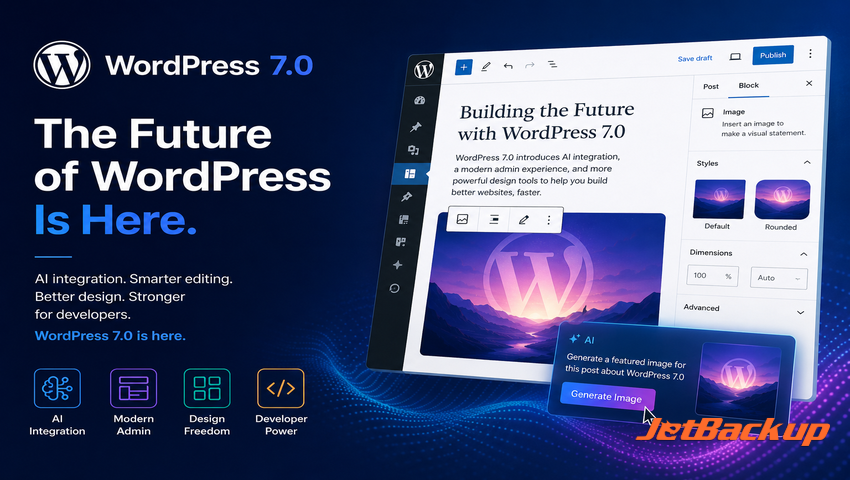
Earlier in the release cycle, much of the attention around WordPress 7.0 centered on collaboration enhancements and the future of real-time editing. That was expected to be the headline. But as the release evolved, the story shifted. Collaboration remains an important part of the broader WordPress roadmap, but WordPress 7.0 arrives with AI integration, a refreshed admin experience, expanded design controls, and developer-focused improvements taking center stage.
For site owners, agencies, developers, and hosting providers, WordPress 7.0 is more than a routine update. It is a signal of where WordPress is heading next.
The platform is becoming more intelligent, more flexible, and more connected to the way modern websites are built and managed.
AI Integration Becomes the Headline
The biggest shift in WordPress 7.0 is the move toward AI integration.
WordPress 7.0 introduces the foundation for AI-connected experiences inside WordPress Core. This includes tools that allow developers to build AI features in a more consistent, provider-agnostic way. Instead of every plugin creating its own isolated AI workflow, WordPress is beginning to establish a shared structure for how AI tools can connect to the platform.
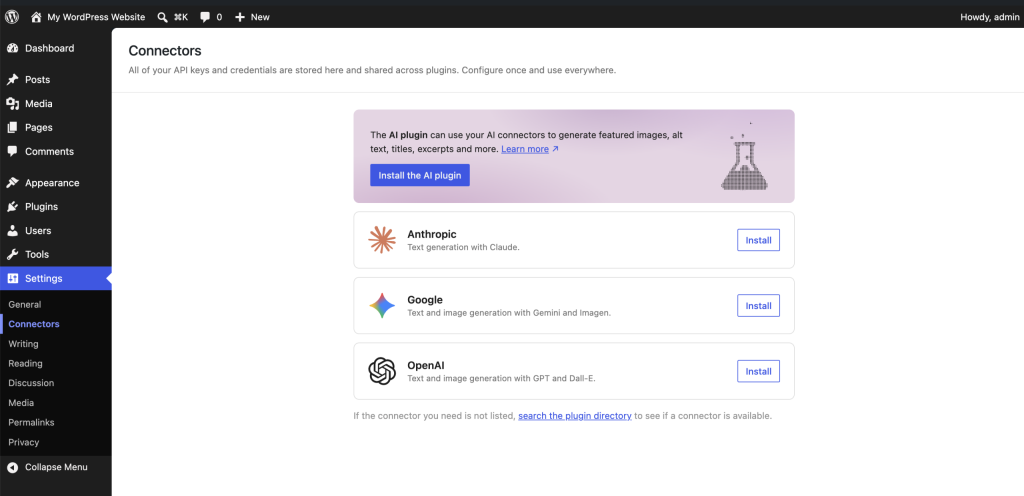
That is an important step.
For users, this could eventually mean smarter content workflows, better editing assistance, faster site-building tools, automated recommendations, and more powerful plugin experiences.
One of the easiest ways to understand the importance of AI in WordPress 7.0 is to imagine what comes next.
Imagine writing a blog post inside WordPress, clicking a single button, and generating a featured image directly from the post title, excerpt, category, or full article content.
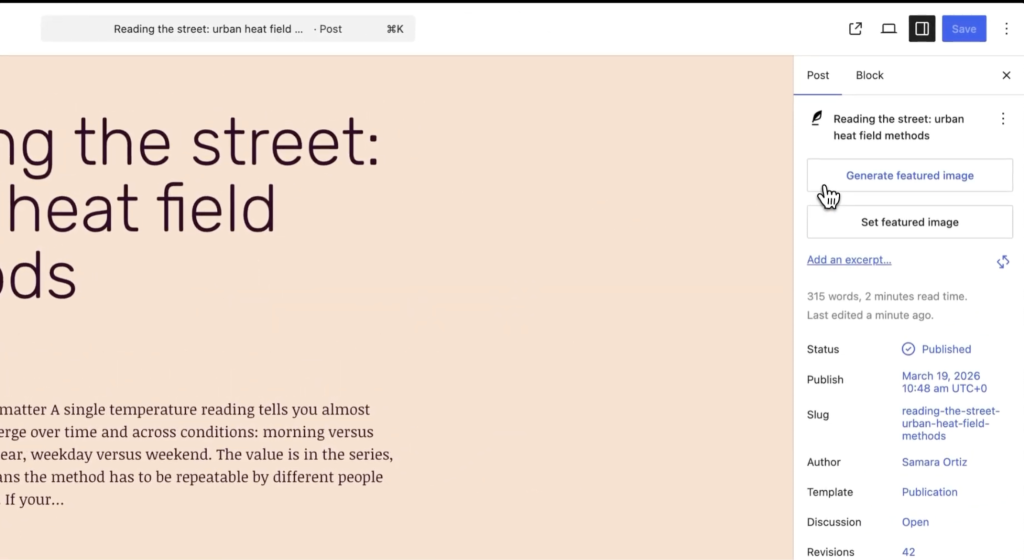
For developers, it creates a foundation for building AI features that feel more native to WordPress.
For hosting providers, it points toward a future where WordPress sites may rely more heavily on automation, connected services, and AI-powered functionality.
WordPress 7.0 does not represent the final form of AI in WordPress. It represents the beginning of a new phase.
A More Modern WordPress Admin Experience
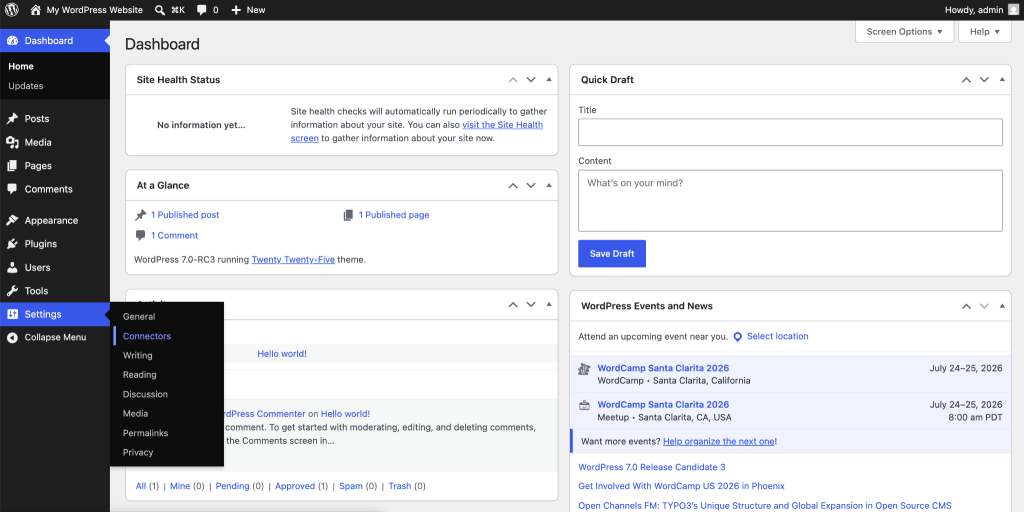
WordPress 7.0 also brings noticeable improvements to the admin experience.
The dashboard feels more modern, more polished, and more aligned with how users expect software interfaces to work today. A refreshed admin design, smoother navigation, expanded command palette access, improved font management, and visual revision improvements all help make WordPress feel less like a legacy dashboard and more like a modern application.
This is important for both new and experienced users.
For new users, the admin area is often their first impression of WordPress. A cleaner and more intuitive experience can reduce friction and make the platform feel easier to use.
For experienced users, small workflow improvements can add up quickly. Agencies, developers, and content teams spend a lot of time inside the WordPress dashboard. A faster, cleaner, more responsive admin experience can make daily work feel smoother.
Better Design Control for Site Builders
WordPress 7.0 continues the evolution of block-based site building.
The release expands design flexibility with improved responsive editing controls, more block-level customization options, better mobile navigation controls, Gallery lightbox improvements, and more granular typography and dimension settings.
These changes may not sound dramatic on their own, but together they continue to move WordPress toward a more visual, flexible, and design-friendly experience.
For site owners, that means more control without needing to write custom code.
For agencies, it means more tools for building client sites that are easier to maintain.
For theme and plugin developers, it creates new opportunities to build around a more capable editing and design system.
The larger story is clear: WordPress is continuing to make the block editor and site editor more central to how websites are built.
Developer Improvements Under the Hood
WordPress 7.0 also includes several developer-focused updates that will matter to plugin builders, theme developers, and agencies managing custom WordPress environments.
Updates around block registration, the Interactivity API, DataViews, DataForms, Block Bindings, and plugin management give developers more ways to create advanced WordPress experiences.
These under-the-hood improvements are important because they shape what the next generation of WordPress tools can do. Many of the features users will experience in the future will be built on the developer foundations being introduced and refined now.
That includes AI-powered plugins, more dynamic admin interfaces, improved content workflows, and more interactive front-end experiences.
PHP 7.4 Becomes the New Minimum
One of the most important technical changes in WordPress 7.0 is the move to PHP 7.4 as the minimum required PHP version.
For many modern WordPress sites, this will not be an issue. Most quality hosting environments have already moved well beyond PHP 7.4.
But for older websites, legacy hosting environments, abandoned plugins, or custom code that has not been maintained, this requirement matters.
Before updating, site owners and agencies should confirm that their hosting environment supports the required PHP version and that key plugins and themes are compatible. This is less about fear and more about good maintenance. Major platform releases are a natural moment to clean up technical debt and make sure a site is running on a healthier foundation.
What WordPress 7.0 Means for Hosting Providers
For hosting providers, WordPress 7.0 is a customer education opportunity.
Many customers will focus on the visible changes, such as admin updates, design improvements, and AI-related features. Behind the scenes, hosts will need to think about compatibility, PHP versions, staging workflows, plugin support, performance, security, and recovery options.
This is especially important as WordPress becomes more connected to AI-powered workflows. Hosting providers are not just hosting files and databases anymore. They are supporting increasingly complex website operations that may involve automation, integrations, third-party services, and business-critical workflows.
WordPress 7.0 gives hosts a reason to communicate proactively with customers, encourage smart update practices, and highlight the importance of modern infrastructure.
What WordPress 7.0 Means for Agencies
For agencies, WordPress 7.0 is another step toward a more powerful, more flexible WordPress platform.
AI integration, stronger design controls, admin improvements, and developer-focused APIs all create new opportunities for building better client experiences. Agencies can use this release to evaluate how their workflows may change, where AI can responsibly support content and site management, and how new editor improvements can reduce friction for clients.
At the same time, agencies should pay attention to the practical side of the update. Custom themes, custom blocks, page builders, SEO tools, forms, membership systems, and eCommerce workflows should all be reviewed during the upgrade process.
The opportunity is not just to update WordPress. The opportunity is to improve how client sites are maintained, managed, and prepared for the next generation of web experiences.
Where JetBackup Fits In
As WordPress continues to evolve, site management becomes more important. New features, AI-connected workflows, design tools, and developer APIs all give users more power, but they also make dependable site operations more valuable.
JetBackup for WordPress helps site owners, agencies, and hosting providers protect WordPress sites with reliable backup and restore tools built for real-world recovery.
WordPress 7.0 is an exciting release. It gives the ecosystem a clear look at the future of WordPress, and that future is more intelligent, more flexible, and more automated.
As you explore what is new in WordPress 7.0, make sure your site is ready for what comes next.
Subscribe to our newsletter
Get expert backup tips, the latest industry trends, and exclusive updates on all things JetBackup. Be the first to know—delivered straight to your inbox.